Last Friday, 8th Sept 06 I presented at the ALEA conference in Melbourne. It was held at the Australian Centre for the Moving Image ACMI at Federation Square. What an awesome venue and a great chance to see what the centre is all about as well as hear some inspiring speakers.
My session was entitled Thinking with Technology and I designed it to showcase some of the ways that I have been using the Intel Thinking Tools at Wedderburn College.
Basically I showed some examples of how the Visual Ranking, Seeing Reason and Showing Evidence tool can be used to display and visualise the thinking that is occurring as students are working through a problem or a challenge.
One of the questions that was raised during the session was interesting and one that I would like to explore a little more.
Basically it was something like, What are the advantages of doing something like this online? Why not just, for example rank things on cards or write them on a white board, why not just draw a concept map, why not record and categorise evidence on pen and paper?
Firstly, I think the bottom line is you firstly think about the outcomes that you want to achieve. If the purpose is to simply rank concepts and to discuss and justify why, then doing it with cards or on a whiteboard would work equally as well as doing it online.
I think the value that is added online is the fact that students can readily see the ranking of other students immediately. The process of reordering, discussing, rethinking and evaluating can be done quickly and responsively.
I think a great advantage to the teacher is that all the tasks can be stored and returned to easily and efficiently as well.
I would like to discuss this more and will do so over the next few days.
Wednesday, September 13, 2006


Thursday, September 07, 2006
Creating new learning and thinking with technology.
It's been a while since I posted and I actually have a few things in draft form that I want to post over the next couple of days.
The last couple of weeks have been hectic but exciting with the main focus being a week in Melbourne training the first Australian group of Intel Senior and Master Trainers in the pilot program Thinking with Technology.
It was a very challenging week both mentally and physically with very long days and nights keeping up with the program. But it was an incredibly rewarding week for me to work with other teachers from Victoria and Queensland who are exploring the use of technology and higher order thinking in the curriculum.
One thing that I found really valuable was to create a wiki specifically for this group so that they could reflect each day online. It meant then that they could comment on each other's thoughts and also meant that other interested people could read the comments from all over the world. So in a sense it was a pilot within a pilot and I think it worked very well.
Go here to check out what they said.
Intel Thinking with Technology Pilot
The last couple of weeks have been hectic but exciting with the main focus being a week in Melbourne training the first Australian group of Intel Senior and Master Trainers in the pilot program Thinking with Technology.
It was a very challenging week both mentally and physically with very long days and nights keeping up with the program. But it was an incredibly rewarding week for me to work with other teachers from Victoria and Queensland who are exploring the use of technology and higher order thinking in the curriculum.
One thing that I found really valuable was to create a wiki specifically for this group so that they could reflect each day online. It meant then that they could comment on each other's thoughts and also meant that other interested people could read the comments from all over the world. So in a sense it was a pilot within a pilot and I think it worked very well.
Go here to check out what they said.
Intel Thinking with Technology Pilot
Saturday, August 26, 2006
Kids and Mini Beasts and Computers
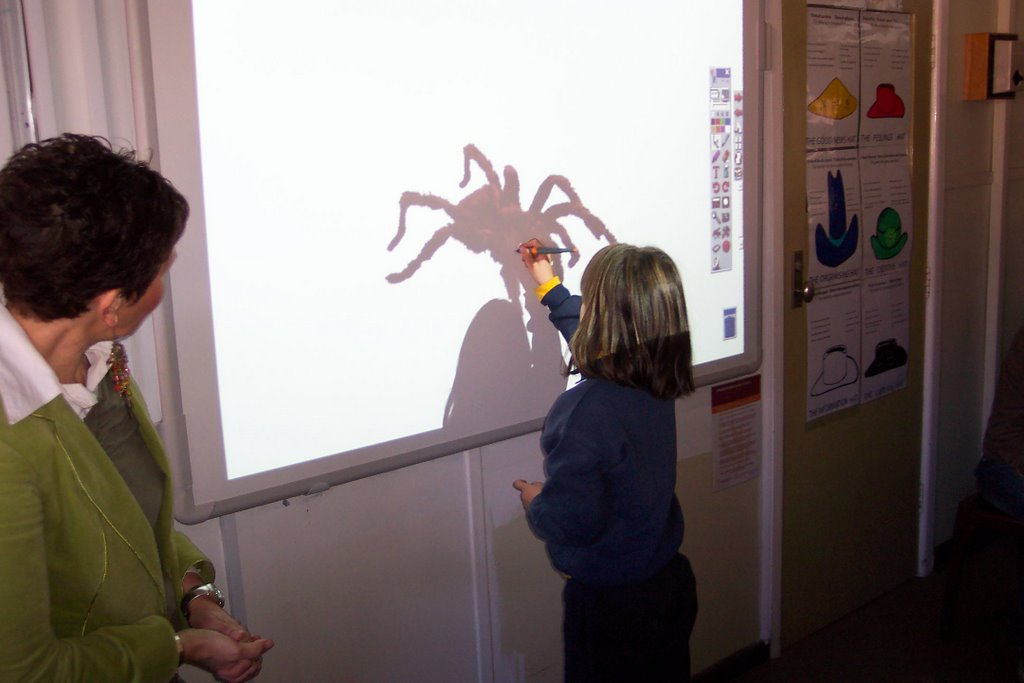
What is it about kids and minibeasts? They absolutely love collecting them and observing them and probably squashing them. But I suspect over the last few weeks I think they have developed a more healthy respect for the little creatures.
What is it about kids and computers? It's not the same thing I know but what is amazing and exciting is the way the kids become so engaged whenever we bring laptops into the classroom. We have been using the laptops over the last couple of weeks on Tuesdays to allow the kids to create one of the tasks that was planned in the unit of work- creating a ppt to represent their understanding of a minibeast. These children haven't been exposed to MS Powerpoint and only in this second half of the year, virtually when we began the Minibeast unit, have they been given access to their own server and internet account at school. But in this short time they have learnt to log on, to save and name their work, to create a new PPT file, to add images and to copy and paste text into their presentations. Some have even learnt to narrate and record their writing onto the slides.
What amazes me I guess is the ease with which they pick up the skills and seem to be able to cope with this new learning with such ease and enthusiasm.
One of the most exciting things though is how willing the students are to help and be patient with each other to support their learning.
The challenge for me though is to ensure that the learning is really happening and that it's not 'busy' time. To that end Tanya employed some short cut strategies to ensure that the keyboarding challenge wouldn't hold the students back.
The students had researched their frog and discovered many aspects of their habitat and development. They then wrote these facts and ideas in the traditional manner by writing and editing in their storywriting books. Tanya, their teacher, then spend a short time after school one day and word processed each of their reports into a word document.
The day that they were to work on their PPT's the children then simply went to a shared folder and copied and pasted their particular piece of text onto the slides of their PPT thus saving that awful waste of very slow typing that very young children can only achieve.
It was just a matter of teaching them how to locate and paste some images from MS clip art and/or some of the free online images libraries such as Pics4Learning or Freefoto and then they had created a pretty effective PPT presentation. For these kids the bells and whistles of PPT are a big deal and as far as I'm concerned that's fine for a little while. They are having a ball discovering how things move and make sounds. But soon we'll also teach them about the less distracting ways of making an impact when you are sharing your learning.
Saturday, August 19, 2006
Knowledge Bank-Our MiniBeast Unit
 Impementing our MiniBeast Unit:
For the last 5 weeks Tanya and Deirdre, Grade 1/2/3 teachers have been working with their students on a MiniBeast unit that we have developed using the Intel Teach to the Future unit plan which integrates ICT and thinking into the curriculum.
Tanya and Deirdre were part of a Participant Teaching 40 hour workshop that we conducted at Wedderburn College last term. As part of the course they chose to create their unit around minibeasts. The unit that they created, based on Curriculum Framing Questions was designed using the Intel Unit plan structure. The two classrooms have taken a slightly different focus with Deirdre's class studying insects and Tanya's class studying frogs. On at least one day a week they have some specific time where they work together as a whole class and I try to work with the students on Tuesdays where we specifically focus on integrating ICT into the class program.
The two rooms are joined in the middle by an area where we have situated an interactive whiteboard, dvd and sound system. The rooms have another 8 networked desktop computers and we also make use of the 25 wireless laptops when we need to. The laptops can be booked ahead of time on an online calendar on mydesktop which is our online portal for all teacher information.
Thursday, August 17, 2006
Blogger Tips and Tricks
Blogger Tips and Tricks
With all the issues around moving to the beta version of Blogger, I'm going to keep an eye on this blog to see if there is anything that will come up about the new version.
With all the issues around moving to the beta version of Blogger, I'm going to keep an eye on this blog to see if there is anything that will come up about the new version.
Wednesday, August 16, 2006
Asking a big question.

One of the powers of the web is the fact that we can combine and see visual, audio and text all at once.
Today I worked with a Gr 5/6 group in a literacy group. I wanted to give them an opportunity to read and think about an issue and then to show their thinking using the online learning tool Visual Ranking. http://www.intel.com/education/visualranking/index.htm
As it was a literacy class we first used the reciprocal teaching method to examine an online story created by UNICEF It asked the question: Can we develop without further damaging the environment? This linked in with the broad topic of environment that they are just beginning to study in class.
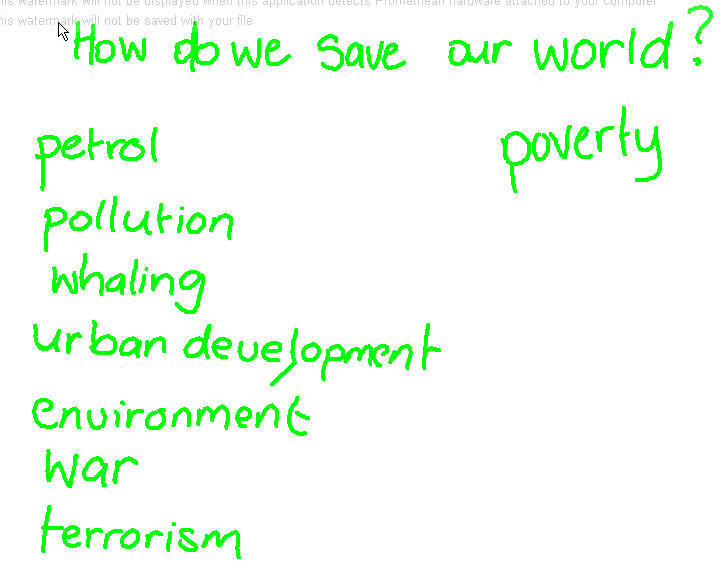
We had a spirited discussion where we gathered lots of ideas about how and why we might be affecting the environment of the world.
Then in small groups the students went to the computers and logged into the Visu
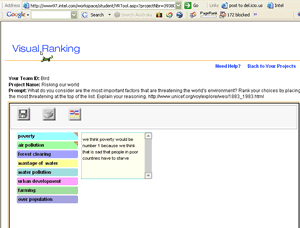 al Ranking tool where I had set up a list of things that I thought they could rank according to how seriously they thought it was affecting the world environment. I deliberately have not asked them to study the UNICEF site at this stage as I want them to consider their ideas before and after they have gathered more information and knowledge.
My plan is to have them investigate and read more about the situation and then decide whether their ideas have changed after reading and discussing.
More to come...
Sunday, August 13, 2006
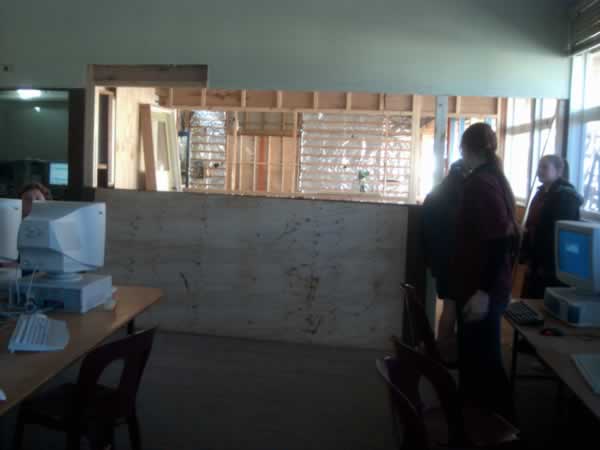
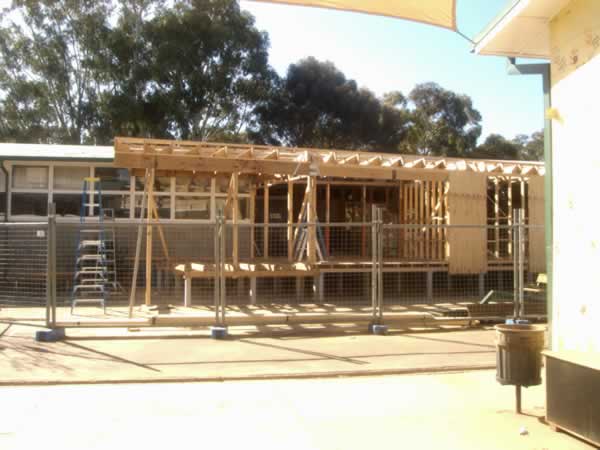
Creating a Learning Space

Subscribe to:
Posts (Atom)
 Flickr/annieb3525
 Facebook/Anne Baird
 Twitter/annieb3525
 Del.icio.us/annieb3525
 GMail/Anne Baird
 coComment/annieb3525
 Technorati/annieb3525
 TeachingwithTechnology/annieb3525


 Posts
Posts


