be But now I'm back at school and back to blogging. The next post willabout teaching and learning as usual.
Saturday, April 12, 2008
Back to the blogging
be But now I'm back at school and back to blogging. The next post willabout teaching and learning as usual.
Tuesday, February 19, 2008
Digital Portfolios and wikis
I have talked about the versatility of wikis in many of my posts and have often blogged about how we have been using them here at school as a portal for classroom lessons, for digital portfolios, for online projects and for information gathering and collecting.
Last year we trialled having our students in Year 7 & 8 create their digital portfolio using a personal wiki. This has worked really well and this year we are continuing to process with students in Years 7-10.
Now this week we have taken our wiki digital portfolio program one step further by requiring our teachers to create their own wiki as a personal digital portfolio. This is part of their Performance and Development process. This involves teachers reflecting on their professional practice, setting goals for themselves while working in a collaborative and supportive team environment. Our teachers here at Wedderburn College each belong to a P&D team each lead by a leading teacher in the school. Once a term they meet to share with their team their goals for the term and their professional development plans. We thought that this year we would have teachers put these ideas into their own wikifolio which would be structured in the same way as the students are . The sections are Being an Individual, Thinking and Learning, Working in Teams, Contributing to the community and Setting and Achieving Goals.
By having teachers use their wiki as the recording vehicle for their reflections I hope that they will also learn more about the way wikis and other Web 2.0 applications work. It also opens up more possibilities for recording and publishing experiences in the classroom for their P&D reflections. I have my first meeting with my team on Thursday and I am really looking forward to seeing what has been recorded so far.
Last year we trialled having our students in Year 7 & 8 create their digital portfolio using a personal wiki. This has worked really well and this year we are continuing to process with students in Years 7-10.
Now this week we have taken our wiki digital portfolio program one step further by requiring our teachers to create their own wiki as a personal digital portfolio. This is part of their Performance and Development process. This involves teachers reflecting on their professional practice, setting goals for themselves while working in a collaborative and supportive team environment. Our teachers here at Wedderburn College each belong to a P&D team each lead by a leading teacher in the school. Once a term they meet to share with their team their goals for the term and their professional development plans. We thought that this year we would have teachers put these ideas into their own wikifolio which would be structured in the same way as the students are . The sections are Being an Individual, Thinking and Learning, Working in Teams, Contributing to the community and Setting and Achieving Goals.
By having teachers use their wiki as the recording vehicle for their reflections I hope that they will also learn more about the way wikis and other Web 2.0 applications work. It also opens up more possibilities for recording and publishing experiences in the classroom for their P&D reflections. I have my first meeting with my team on Thursday and I am really looking forward to seeing what has been recorded so far.
Thursday, February 07, 2008
Another way of learning (and teaching)
One of the things that I find challenging when supporting the development of teachers understandings of ICT and their applications in the classroom is offering simple explanations of what many of the applications are. It's all very well to suggest that a teacher create a blog to get their students to record a project, or create a wiki so that they can collaborate. Harder still is to explain how RSS feeds might be a very effective way to track how students are working on their digital portfolios or why podcasts might be a new way to let parents know about the history of their school community. I constantly have to remind myself that wikis, blogs, RSS, podcasts and many more are for many teachers still techno gobbledy gook and as such, cause angst and feelings of unnecessary inadequacy.
Today via a mailing list, I came across a very cool site called CommonCraft that explains Web 2.0 applications in simple yet entertaining. The appealing thing for me I think is that it uses little props such as drawings and cutouts to visually represent a group of ideas. Very useful for both teachers and students. They are even available for downloading onto the school's local server from Bliptv or YouTube.
Here's one that explains RSS.
Today via a mailing list, I came across a very cool site called CommonCraft that explains Web 2.0 applications in simple yet entertaining. The appealing thing for me I think is that it uses little props such as drawings and cutouts to visually represent a group of ideas. Very useful for both teachers and students. They are even available for downloading onto the school's local server from Bliptv or YouTube.
Here's one that explains RSS.
Thursday, January 31, 2008
Google Docs

I love Google Docs. It's such a simple way to collaborate, store, access documents that I have created for school. Particularly when you are collaborating with another teacher in another school, Google docs is a perfect way to share and collaborate when planning and creating units of work. Today I created some class lists with students email addresses and once complete it was only a matter of sharing with the other teachers who teach these students via an email to let them know that they can access and edit the document whenever they need to.
Even better when checking out Jane's eLearning tip of the day, I've discovered a cool little addon that will work with Firefox and Flock that places my Google Docs in a sidebar. With this bar I can drag and drop files that I have already created and stored on my hard drive into a section of the sidebar and they are automatically loaded into my Google Docs account. How cool is that?
Labels:
cool_ideas,
google,
googledocs,
Web2.0
Tuesday, January 29, 2008
Learning more about blogging
I came across a new and I think very practical blog written by Sue Waters. Sue is already a reknowned blogger who blogs on Mobile Technology in TAFE. I must admit that I come to Sue's Mobile Technology blog as a late comer but I can already see that it is yet another blog that I will continue to subscribe to. I think I'm going to have to start learning how to read in my sleep!
But I digress. Sue now writes two blogs having just begun a new blog for edublogs. Edublogs is James Farmer's well known and acclaimed site for those in education who love to blog. Sue's new blog is one that she is writing for edublogs called The Edublogger. It seems that Sue has already contemplated the challenge of writing two blogs that might easily be read by the same people. So she has decided that "The Edublogger's posts will be “How To” tips and her Mobile Technology in TAFE will "work through topics on using blogs in an educational context."
Already Sue has created posts on How to create Hyperlinks using HTML, How to add a photo to your sidebar, Adding Widgets to your blog and Tips for doing a blog makeover.
For a while now I have been toying with the idea of taking my blog over to edublogs. Mainly I guess because firstly it's created by a fellow Aussie in James Farmer. And secondly because it is specifically designed for educators. Maybe Sue's posts might just provide the impetus to move to a new home...
But I digress. Sue now writes two blogs having just begun a new blog for edublogs. Edublogs is James Farmer's well known and acclaimed site for those in education who love to blog. Sue's new blog is one that she is writing for edublogs called The Edublogger. It seems that Sue has already contemplated the challenge of writing two blogs that might easily be read by the same people. So she has decided that "The Edublogger's posts will be “How To” tips and her Mobile Technology in TAFE will "work through topics on using blogs in an educational context."
Already Sue has created posts on How to create Hyperlinks using HTML, How to add a photo to your sidebar, Adding Widgets to your blog and Tips for doing a blog makeover.
For a while now I have been toying with the idea of taking my blog over to edublogs. Mainly I guess because firstly it's created by a fellow Aussie in James Farmer. And secondly because it is specifically designed for educators. Maybe Sue's posts might just provide the impetus to move to a new home...
Labels:
blogging,
blogs,
edublogs,
jamesfarmer
Sunday, January 27, 2008
I'm back- with a little personal indulgence.
I can't believe that it's actually been about 5 weeks since I blogged. With blogging and working and creating via the internet being so much part of my life for the last couple of years I do find it strange that, to be honest, I really haven't missed it. I think that actually it's done me good to have a good long break. But I am now looking forward to getting back into it.
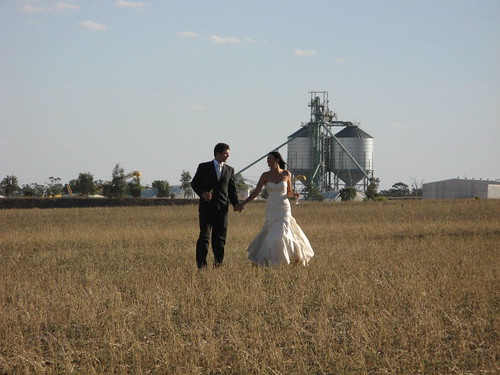
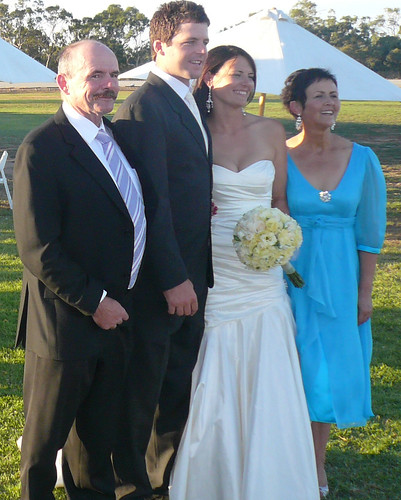
It will be interesting how the next few months go. We have our daughter, Hannah's wedding coming up the end of March and much of my time over the past few weeks has been spent talking and thinking and making decisions about the wedding. I think that's been the main reason why I have taken a good long break from blogging. Although on holidays I have had something to keep me very busy and I guess that over the next few weeks it will become busier and busier with juggling school and wedding preparations.
So here is a little personal indulgence- with nothing to do with education and web2.0. But I figure that once in a while I can enjoy being Mother of the Bride. Should be fun :)
It will be interesting how the next few months go. We have our daughter, Hannah's wedding coming up the end of March and much of my time over the past few weeks has been spent talking and thinking and making decisions about the wedding. I think that's been the main reason why I have taken a good long break from blogging. Although on holidays I have had something to keep me very busy and I guess that over the next few weeks it will become busier and busier with juggling school and wedding preparations.
So here is a little personal indulgence- with nothing to do with education and web2.0. But I figure that once in a while I can enjoy being Mother of the Bride. Should be fun :)
Tuesday, December 18, 2007
Creative Commons- who can use my work
Yesterday the students and I worked on an activity using Flickr. I wanted the students to learn a little bit about Flickr and create some fun Christmassy things using Flickr images. There are obviously millions of images posted on Flickr with many beautiful ones tagged Christmas. But there are some of these that have All Rights Reserved and others that have Some Rights Reserved. Then there are others that have No Rights Reserved and lots more in between. So that prompted me to look up exactly what all of these terms really mean. It's something that as teachers we should all have our heads around as we prompt our students to work more and more with so much of the internet. So I checked out this great site Creative Commons.org which basically explains it all and more. It has a wizard that takes you through what rights you want to have and then gives you the exact license you need to post on your work. You can also choose particular rights according to the country you live in. I think that all of us educators out there need to make ourselves very familiar with these issues especially now that so many of our students are both accessing, using and posting on the web. I will certainly be having my Year 7, 8, 9 & 10 students learning more about this next year.

This work is licensed under a
Creative Commons Attribution-Noncommercial-Share Alike 2.5 Australia License.
This work is licensed under a
Creative Commons Attribution-Noncommercial-Share Alike 2.5 Australia License.
Subscribe to:
Posts (Atom)